 |
|
Component > Dialogue System > Actor > Player > Proximity Selector
Proximity Selector provides an interface for the player to target "usables" and send "OnUse" messages to them by entering their trigger areas.
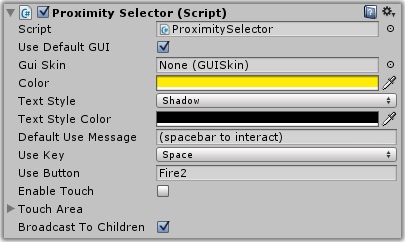
| Property | Function |
|---|---|
| Use Default GUI | If ticked, use a default OnGUI to display a selection message and targeting reticle |
| Gui Skin | The GUI skin to use for the target's information (name and use message) |
| Gui Style Name | (Not shown) The style in the GUI skin. Defaults to label |
| Alignment | (Not shown) The text alignment |
| Color | The color of the information labels when the target is in range |
| Text Style | The text style for the name and use message |
| Text Style Color | The color of the text style's outline or shadow |
| Default Use Message | The default use message. This can be overridden in the target's ref usable component |
| Use Key | The key that sends an OnUse message |
| Use Button | The button that sends an OnUse message |
| Enable Touch | Tick to enable touch triggering |
| Touch Area | If touch triggering is enabled and there's a touch in this screen area, the selector triggers |
| Broadcast To Children | If ticked, the OnUse message is broadcast to the usable object's children |
| Actor Transform | (Not shown) The actor from which this message is sent. If not set, defaults to the Selector's transform |
The Proximity Selector allows a player to target a usable by entering its trigger area. It works with 2D and 3D triggers. Once the player has targeted a usable, a key or button press will send an "OnUse" message to it.
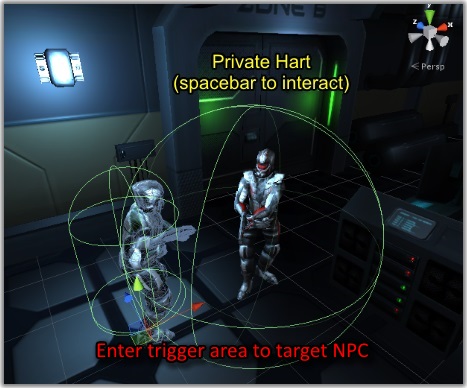
The usable can handle the "OnUse" message by starting a conversation, playing a cutscene sequence, etc., typically by using a trigger component such as Conversation Trigger.
<< Components